
By Thiago Schmitz | | Enterprise Architect for Salesforce Core en Cloudgaia
Table of Contents
- Agentforce Voice Is Not Just Another Voice Bot
- From Understanding a Question to Executing a Process
- The Channel Changes, but Agentforce Is Still Agentforce
- Designing for Voice Requires a Different Mindset
- Small Technical Details Can Have a Major Impact
- Brand Voice Can Now Literally Be a Voice
- Mobile Can Bring Agentforce Into Moments Where a Screen Does Not Work
- The Next Interface May Not Look Like an Interface
- Key Takeaways
- Q&A: Questions Organizations Should Be Asking
Over the years, working with Salesforce architectures, I have seen the way users interact with enterprise systems evolve several times. We moved from complex, highly structured interfaces to mobile experiences, self-service portals, and, more recently, agents that can understand natural language.
But most of those experiences still start with the same assumption: the user has a screen in front of them.
Agentforce Voice is beginning to challenge that assumption.
I believe the most interesting shift is not simply that Agentforce can now speak.
The real evolution is that a voice conversation can become a direct entry point into the data, actions, and processes that already exist across the Salesforce ecosystem, but now with intelligence.
From an architecture standpoint, that opens a much broader conversation about how we should design the next generation of enterprise experiences.
Agentforce Voice Is Not Just Another Voice Bot
When we hear about AI applied to voice, it is easy to think of a more advanced version of the voice bots or IVR systems companies have used for years.
But Agentforce Voice starts from a different architecture.
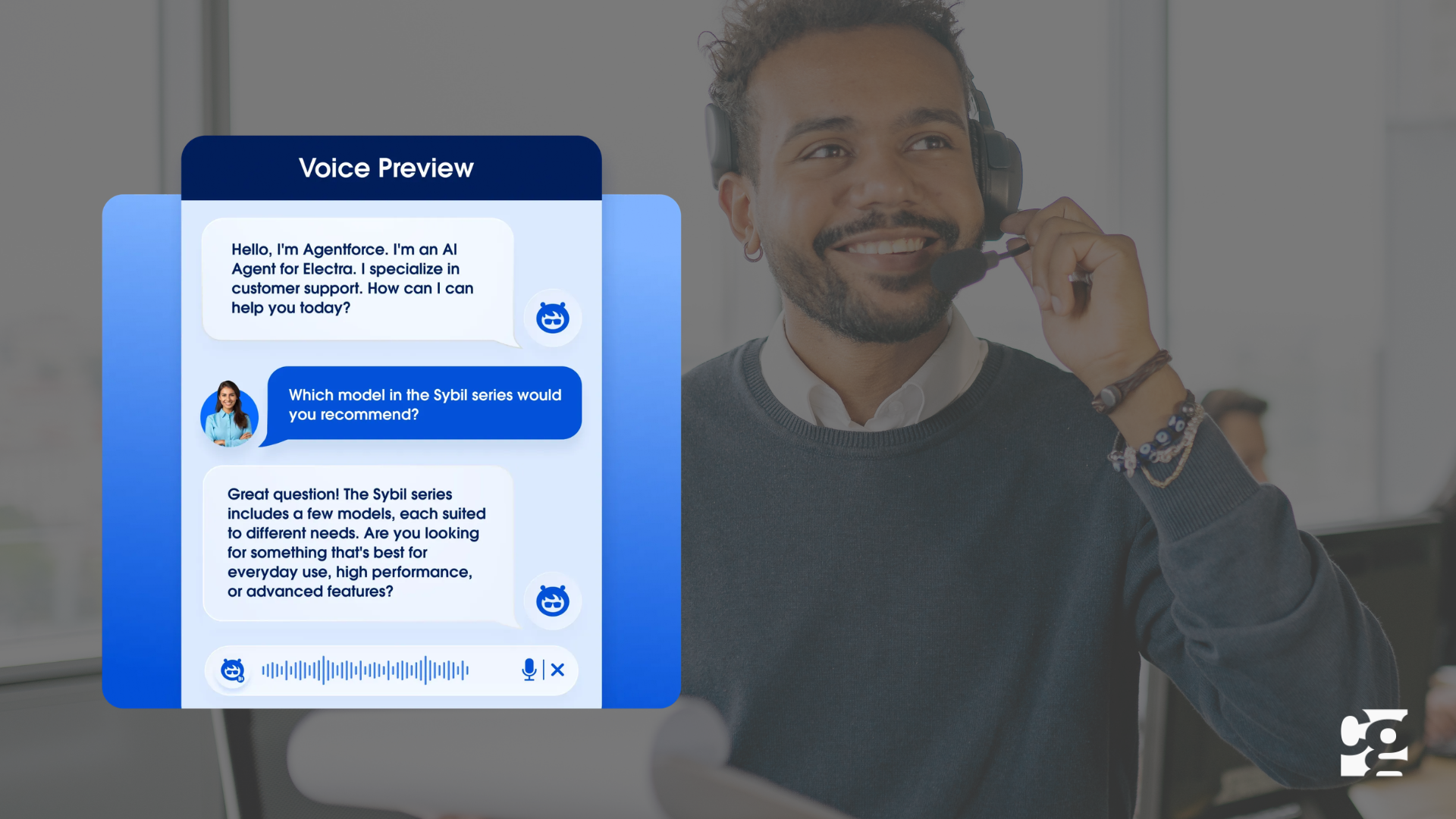
Salesforce defines it as a capability that enables agents to understand spoken conversations, interpret user intent, and take action to resolve a request.
The agent can work with CRM data, Flows, APIs, and the same capabilities Agentforce already uses across other channels.
The same agent designed in Agentforce Builder can use existing subagents, actions, and data, then extend those capabilities into voice experiences.
Salesforce summarizes this with a very clear principle: build one agent and deploy it across multiple channels.
For years, companies built separate solutions for each channel. The result was often duplicated logic, inconsistent experiences, and multiple points of maintenance.
Agentforce points in a different direction.
First, design the capabilities of the agent. Then decide where those capabilities should be available.
From Understanding a Question to Executing a Process
The second major difference appears when we look at what happens after the agent understands the user.
The most important shift is not simply being able to better understand what the customer needs. It is being able to act on that need in real time.
For example, a customer could ask for the status of an order, and Agentforce Voice could identify the request, retrieve the relevant information from Salesforce, update a record, or create a case without forcing the customer to navigate through multiple menu options.
| Before: Traditional IVR | Now: Agentforce Voice |
| The interaction follows a rigid, predefined structure. | The conversation adapts to what the user needs in real time. |
| Users must navigate options such as “press one for sales” or “press two for support,” following specific commands, menus, steps, and predefined paths. | Users can explain what they need directly, using natural language. |
| The system recognizes specific inputs and routes the interaction accordingly. | The agent interprets intent, context, relevant information, and sentiment to dynamically determine the next best action. |
| The system is typically limited to routing calls or providing basic information. | Agentforce can retrieve information from Salesforce and execute business actions and processes. |
| Completing a request often requires transferring the interaction to a human agent. | The agent can update records, create cases, run workflows, or initiate additional processes. |
That is why the first question should not be, “What conversation do we want to automate?” but rather, “What process do we want users to be able to complete through a conversation?”
The difference may seem subtle, but it fundamentally changes how the agent is designed.
The Channel Changes, but Agentforce Is Still Agentforce
During the TDX session, Andrew Mangano uses a phrase that captures the approach well: “Agentforce is Agentforce is Agentforce.”
The idea is simple: the agent should not be defined by the channel where it appears.
In the demo, the team builds and tests an agent in Agentforce Builder and then deploys a voice experience inside a mobile application using the Agentforce Mobile SDK.
Later, they show an experience inside Salesforce Mobile where an employee uses voice to retrieve information about an account and its related opportunities.
The experiences are different, but the capabilities still come from Agentforce.
This approach can have a meaningful impact on enterprise architecture. Instead of designing one agent for every interface, we can build agents around business capabilities and then determine how those capabilities should be presented across channels.
That does not mean the experience should be identical everywhere.
In fact, that is where one of the biggest Voice design challenges begins.
Key Takeaways
|
Designing for Voice Requires a Different Mindset
One of the parts of the session that stood out to me was Salesforce’s focus on design best practices.
Reusing an agent’s capabilities does not mean copying a chat experience and adding audio.
Reading and listening are fundamentally different experiences.
On a screen, we can scan content or visually search for the information we need. In a voice conversation, the user receives information sequentially and in real time.
A response that works well in chat may not work when someone has to listen to it.
Salesforce recommends keeping welcome messages short and responses focused so the conversation can move naturally.
Latency also becomes critical.
In a visual experience, users may tolerate some loading time. In a conversation, every silence is noticeable. An Apex action, Flow, prompt, or integration that responds too slowly can completely disrupt the interaction.
Designing Agentforce Voice therefore also means reviewing the performance of the actions available to the agent.
It is not enough for an action to work. It needs to work at the pace of a conversation.
Small Technical Details Can Have a Major Impact
There is another aspect of Voice that I find especially interesting from an architecture perspective: details that once seemed minor can become central to the experience.
Pronunciation is a good example.
Every organization has product names, acronyms, and industry specific terminology. During the session, Salesforce shows how pronunciation dictionaries and keyword boosting can help the agent interpret those terms correctly.
If the system misinterprets an acronym, the problem is not only pronunciation. The agent may end up retrieving the wrong information.
The same applies to how data is presented.
A date, currency value, or case number may be stored correctly and still sound unnatural when spoken by the agent.
With Voice, output formatting is no longer only a technical decision. It is also an experience decision.
Brand Voice Can Now Literally Be a Voice
For years, we have used the term “brand voice” to describe the tone, language, and personality a company uses to communicate.
Agentforce Voice makes that concept much more literal.
Salesforce allows organizations to select different voices and configure characteristics of the experience. In the TDX demo, we also see controls related to speed, similarity, and stability.
That creates new questions.
What voice best represents the organization? Should the same voice be used for every use case? Does a customer support experience require the same tone as an internal employee agent?
I do not believe these decisions should sit exclusively with technology teams.
Architecture defines the agent’s capabilities. The business defines the process. Marketing understands the brand. Experience teams understand the user.
Voice is one of those areas where all of these disciplines need to work together.
Mobile Can Bring Agentforce Into Moments Where a Screen Does Not Work
The second half of the TDX session focuses on Agentforce Voice for mobile applications.
In the demo, Salesforce integrates an agent into an application using the Agentforce Mobile SDK. The user can talk or type to the same agent while maintaining the context of the conversation.
As an architect, I immediately think about scenarios like a field technician, a salesperson traveling between customer locations, or someone who needs information while performing another task.
For years, we have tried to improve these processes by building better mobile interfaces. We simplified forms, reduced fields, and designed experiences with fewer clicks.
In some cases, the better answer may be to eliminate the clicks altogether.
That does not mean Voice will replace mobile applications.
It means we now have another modality for processes where using a screen creates friction.
The Next Interface May Not Look Like an Interface
I find Agentforce Voice especially interesting because it forces architects to revisit something we often take for granted.
For decades, we designed systems expecting people to learn how to use them. We created screens, buttons, menus, and forms. Then we trained users to understand how to interact with that structure.
AI is beginning to reverse that relationship.
We now have systems that can better understand the way people already communicate. Agentforce Voice extends that idea into spoken conversation and connects that interaction with data and actions inside Salesforce.
I do not believe screens are going away.
But I do believe architects should stop assuming they are always the starting point.
Before designing the next interface, it may be worth asking a much simpler question: Does the user actually need a screen to get this done?
For organizations looking to deploy Agentforce customer service in a way that respects governance, brand voice, and operational reality, the path is not just technical. It is a delivery question, and that is the conversation we at Cloudgaia have every day with our clients.
Questions Organizations Should Be Asking
Does Agentforce Voice replace existing digital channels?
No.
Voice should be viewed as another modality within a multichannel agent strategy. Web, chat, and mobile applications remain essential for many processes.
The real question is where a spoken interaction creates a more natural experience.
Should every Agentforce agent have Voice?
Definitely not.
Voice makes sense when the use case is conversational and speaking reduces friction in the process.
A process that requires users to compare twenty data points on a screen will probably not be improved by adding voice.
Does Agentforce Voice replace human agents?
I do not believe that is the right question.
Some repetitive interactions can be resolved autonomously. Other conversations are complex or sensitive and require human context, judgment, and empathy.
The real challenge is designing where Agentforce should act and when escalation should occur.
What should a company review before implementing Voice?
I would start with four areas: processes, data, actions, and performance.
The agent needs to understand the process it is expected to resolve, access the right context, and execute clearly defined actions. The architecture also needs to respond with latency that works for a live conversation.
Voice technology is only one part of the solution.